

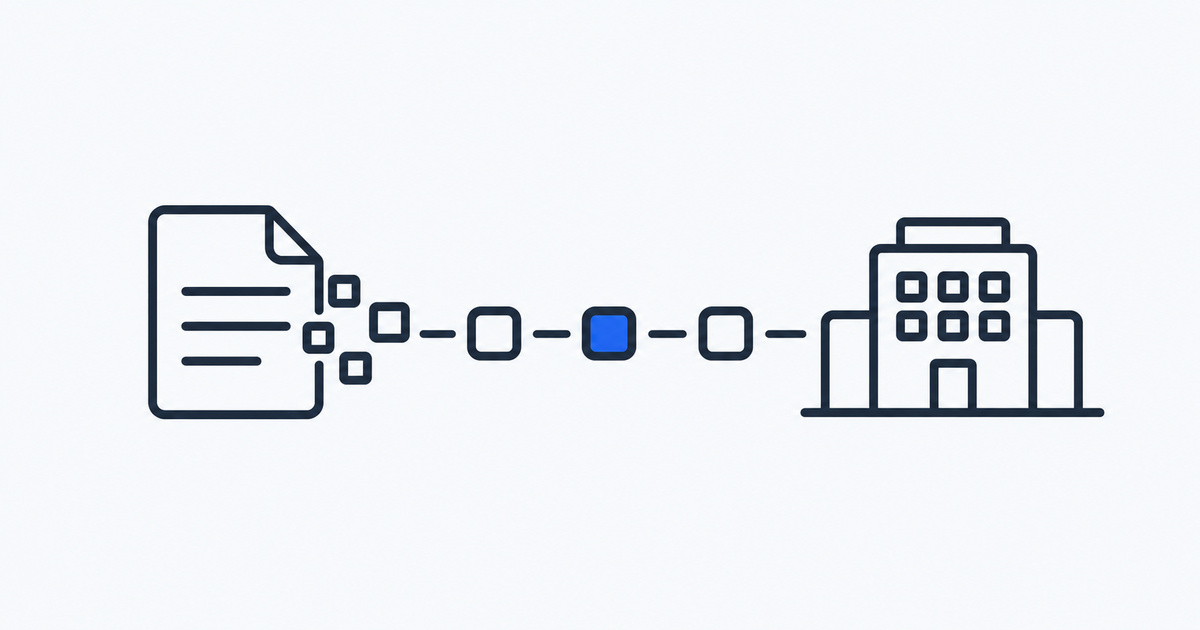
E-invoicing software creates, sends and receives invoices as structured data a computer can read, often through a required network or directly to the tax authority. You need it when your country or your customers require it. A PDF sent by email does not meet those rules.
For years, “electronic invoice” meant a PDF attached to an email. That is changing. In a growing number of countries, an invoice between two businesses must now be a structured data file that a computer can read, and in some places it must travel through a specific network or be sent to the tax authority. A PDF, however tidy, no longer counts.
If you run a small business, freelance or manage invoicing for a team, this raises practical questions. What exactly is an e-invoice? Do the new rules apply to you? What should the software do, and how do you tell tools apart? This guide answers them in plain terms. It does not recommend products, and it cannot tell you what the law requires in your case, so treat the country details below as a snapshot to check against current official sources.
What an e-invoice actually is
An e-invoice is an invoice issued, sent and received as structured electronic data instead of paper or a loose document. Every piece of information has a defined place in the file: seller, buyer, dates, line items, quantities, tax rates, totals, payment details. Because the layout follows an agreed standard, the receiving system can read the invoice without a person retyping it.
The difference from a PDF is the heart of the matter:
- A PDF is a picture of an invoice. A person can read it, but software has to guess at the contents, or someone has to key the numbers into an accounting system by hand.
- An e-invoice is data first. The numbers arrive in labelled fields, and the receiving system can match them to an order, check them against tax rules and post them to the books automatically.
Some formats combine both, carrying structured data inside a PDF so that people and machines each get what they need. Whether such a hybrid is accepted depends on the country, so this is one more point to confirm locally.
Why governments are pushing it
Three motives come up again and again.
- Closing the VAT gap. When tax authorities can see invoices as structured data, mismatches and fraud are easier to spot.
- Faster, cheaper processing. Manual entry is slow and error prone. Structured data removes much of it.
- Faster payment. Invoices that are accepted automatically tend to be paid sooner.
For businesses the practical effect is the same everywhere: more of the invoice process moves from “whatever you like” to “a defined format, sent in a defined way”.
How e-invoicing works
The details differ by country, but most systems follow one of a few models.
Formats
A format is the agreed layout for the data. Europe has a common reference standard for the content of an electronic invoice, and several formats built on it. Individual countries have their own versions or favoured formats, for example formats used in Germany, France and Poland. You rarely need to learn them. Your software should create the correct one for the country and the customer.
Networks
Many systems rely on a network that carries invoices from sender to receiver. One widely used example is Peppol, an international network in which companies exchange invoices through certified access points. A sender’s software passes the invoice to an access point, which delivers it to the receiver’s access point and then to the receiver’s system. The idea is the same as email: you do not need a direct connection with each customer, you need an address on the network.
Government platforms and clearance
Some countries go further and route invoices through a central platform run by the tax authority. In a clearance model, the invoice is only treated as valid and delivered after it has been submitted to that platform. In other models, invoices travel between businesses and data is reported to the authority at the same time or soon afterwards. Which approach applies determines how your software must connect and how quickly you can issue an invoice.
Where e-invoicing is required
Rules are moving quickly, so the following is a snapshot of widely reported dates and not legal advice. Check the current position with the official tax authority or your accountant.
| Country | What has been reported |
|---|---|
| Belgium | Structured business to business e-invoicing through Peppol became mandatory for VAT registered businesses in January 2026. |
| France | From September 2026 all businesses must be able to receive e-invoices, and large and mid sized companies must also send them. Smaller businesses follow for sending in September 2027. |
| Germany | Receiving e-invoices has been required since January 2025. Sending becomes mandatory from January 2027 for larger businesses and from January 2028 for all. |
| Poland | A national platform is used. Large taxpayers started in February 2026, most other VAT registered businesses in April 2026, and micro enterprises are due in January 2027. |
| Norway | Business to business e-invoicing is reported to start in January 2027. |
| European Union | A common VAT reform sets July 2030 as the date by which cross border business to business invoices within the EU must be structured e-invoices. |
Several other countries already have older or different systems, including some that have required electronic invoicing for years, and others are planning their own. Some countries mandate only invoices to public bodies, which is a narrower rule than business to business invoicing.
Does this apply to you?
Ask four questions.
- Where are you established for tax purposes? The rules of your own country apply first.
- Who are your customers? Selling to businesses is where mandates usually bite. Selling to consumers is often treated differently.
- Where are your customers? If you invoice businesses in another country, their rules may affect how you must send.
- How big are you? Many phase-ins start with large companies and reach small ones later, though some countries have no size threshold.
If you only invoice consumers in a country with no mandate, you may not need e-invoicing yet. If you have even a few business customers in a country that has started a mandate, it is worth finding out early.
What e-invoicing software does
Most tools in this area cover some or all of the following.
- Creates invoices in the required format. The core job: you enter the usual details and the software produces the structured file.
- Validates before sending. A good tool checks mandatory fields and tax codes so errors are caught before the customer or the authority rejects the invoice.
- Delivers through the right channel. That might be a network, a government platform, an email with an attached structured file, or a mix.
- Receives and reads incoming invoices. Since receiving is often required before sending, this matters just as much. The tool should import supplier invoices and turn them into usable data.
- Handles status and errors. It shows whether an invoice was delivered, accepted or rejected, and explains rejections in plain language.
- Archives invoices. Many countries set retention periods and require that stored invoices stay readable and unaltered.
- Connects to your accounting. Without this link, you only move the retyping from one place to another.
- Keeps up with rule changes. Because requirements change often, a tool that updates formats and rules for you is worth more than one you must patch yourself.
Standalone tools and built-in features
E-invoicing may come as a separate product, as a module in an accounting or invoicing tool you already use, or as a service from a provider that connects to your existing system. For a small business the simplest route is often a feature in the tool you already use, if it supports your country. A separate tool makes more sense when your current software does not support the format you need or when you invoice in several countries.
Questions to ask before you choose
- Which countries and formats does it support today? Ask for a list, and for the dates by which it plans to support new mandates.
- How does it send and receive? Through a network, a government platform, direct connections, or only by email?
- Does it receive as well as send? In some countries receiving comes first.
- How does it deal with rejections? Ask what you see when an invoice fails and how you fix it.
- What does it connect to? Check your accounting software, your bank and your sales or project tools.
- How are invoices archived and for how long? Confirm it fits the retention rules that apply to you.
- What does it cost? Look at the monthly price, the cost per invoice or per document, and any extra fees for connecting to a network or platform.
- Who is responsible for compliance? Read what the provider promises and what stays with you.
- Can you export your data? If you leave, you should be able to take invoices and customer details with you.
- What does support look like? During a rollout, fast human help matters.
A sensible way to get ready
You do not have to wait until a deadline is close. A short plan helps.
Step 1: Find out your deadline. Check the date that applies to receiving and the date for sending, based on your country and size.
Step 2: Clean your data. E-invoices reject missing or inconsistent details. Check customer names, addresses, tax numbers, units and tax codes.
Step 3: Look at your current tool. See whether it already supports what you need or has an update planned.
Step 4: Shortlist two or three options. Use the questions above to compare them against your own needs.
Step 5: Test with real invoices. Run a few typical invoices through the trial or sandbox, including awkward cases such as credit notes, discounts and part payments.
Step 6: Tell your customers. Ask for their e-invoicing address or the details they need to receive.
Step 7: Run old and new side by side briefly. Keep your existing process available for a short period while you confirm everything is delivered and accepted.
Step 8: Brief your accountant. They should know where invoices are stored and how they reach the books.
Common mistakes
- Treating a PDF as an e-invoice. Check whether your country accepts it. In many places it does not.
- Looking only at sending. Receiving often arrives first.
- Waiting for the last month. Rollouts uncover data problems that take time to fix.
- Assuming the tool covers every country. Support differs, so check the list.
- Ignoring credit notes and corrections. These are where many first rejections happen.
- Forgetting archiving. The stored invoice must stay readable for the legal period.
- Not asking who is responsible. Be clear about what the provider handles and what you do.
Where to look
If you want to see what is available in billing, accounting, budgeting and payments, you can browse the Finance category on SaaSDB. It is a starting point for a shortlist. For e-invoicing in particular, check each tool’s own pages for the countries and formats it currently supports, since these change often.
Frequently asked questions
What is e-invoicing software? It is software that creates, sends, receives and stores invoices as structured electronic data in the formats a country or customer requires, instead of as paper or loose PDF files.
Is a PDF invoice an e-invoice? Usually not in countries with a mandate. An e-invoice is structured data that software can read automatically. Some hybrid files carry structured data inside a PDF, and whether they are accepted depends on the country.
Do I need e-invoicing software if I am a freelancer? It depends on where you are established and who you invoice. If your country or your business customers require structured invoices, you need a way to produce them. That could be a feature in the tool you already use.
What is Peppol? It is an international network through which businesses exchange electronic invoices using certified access points. Several countries use it, and in some it is part of how a mandate works.
What is the difference between e-invoicing and e-reporting? E-invoicing is the exchange of the invoice itself between supplier and customer. E-reporting means sending transaction data to the tax authority, sometimes at the same time. Some countries require one, some the other, and some both.
When will e-invoicing be required across the EU? A reform of EU VAT rules sets July 2030 as the date by which cross border business to business invoices between member states must be structured e-invoices. Many countries are moving earlier with their own national rules.
Will my accountant need to change anything? Probably yes, at least in how invoices reach the books. Ask them early which formats and tools they work with.
How do I know which rules apply to me? Check the website of your national tax authority, or ask your accountant, since the rules depend on where you are established, who your customers are and how large your business is. This article is a general guide and does not replace that advice.